ci without the git commit -m 'try fix ci' over and over ci where if it passes locally, it passes in the cloud ci where build artifacts are just return values ci where env vars and cwd stay put between commands ci where @autocache decides when to rerun, so you don't have to ci you can step through with a debugger ci where jobs are just async functions ci you can debug on your laptop ci written in plain Python ci that fits in one Python file ci where the tests that didn't change don't run ci without the YAML headaches
@job(image="rust:latest")
@autocache
async def test(verbose: bool = False):
await ci.upload("leviathan/", "/app")
"cd /app"
if verbose:
"cargo test --color always -- --nocapture"
else:
"cargo test --color always"
@job(image="rust:latest")
async def build() -> dict[str, Artifact]:
await ci.upload("leviathan/", "/app")
"cd /app"
"apt-get update -qq"
"apt-get install -y -qq gcc-x86-64-linux-gnu"
binaries = {}
for target, linker in TARGETS:
f"rustup target add {target}"
target_upper = target.upper().replace('-', '_')
env = f"CARGO_TARGET_{target_upper}_LINKER={linker} " if linker else ""
f"{env}cargo build --release --target {target}"
binary_path = f"/app/target/{target}/release/leviathan"
size = int((await ci.exec(f"wc -c < {binary_path}")).strip())
print(f" {target}: {size:,} bytes")
binaries[target] = await ci.download(binary_path, AsArtifact())
return binariesIfs, loops, functions, dictionaries, JSON parsing, string manipulation — you already know how to write them. So why wrestle them into YAML just to run a pipeline?
Nanci pipelines are plain Python.
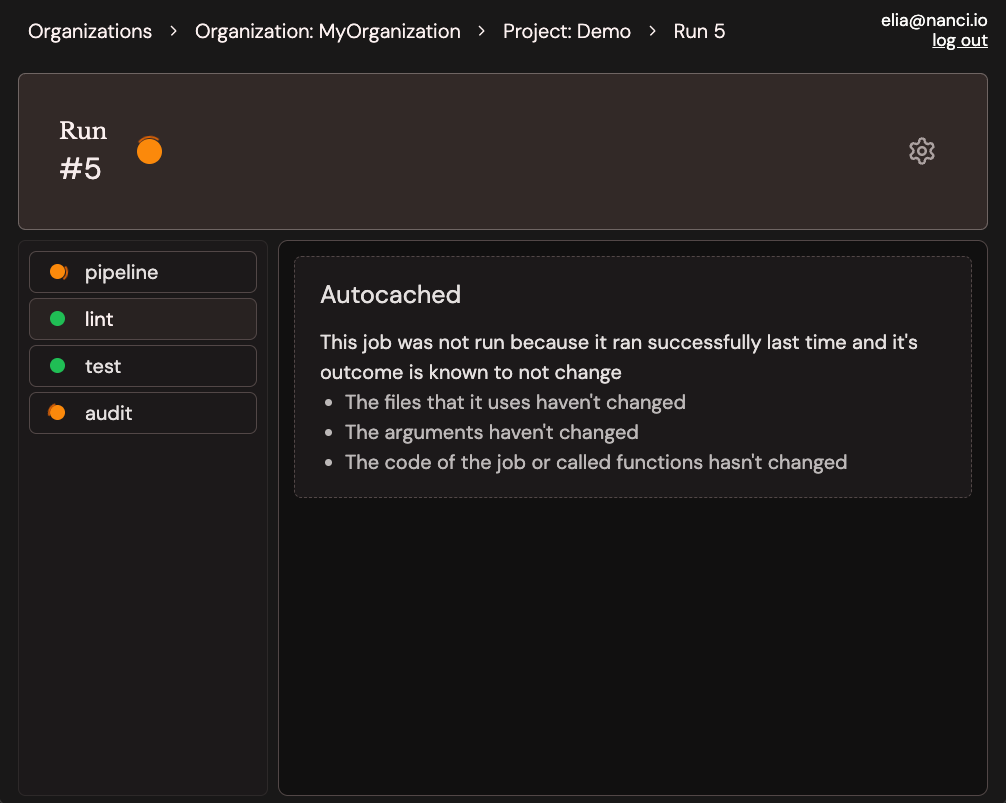
Every pipeline run is captured and streamed live to a web UI. Watch jobs progress in real time, inspect logs, and share results with your team.
ANSI colors and animations fully supported.
Nanci uses the same engine locally and in the cloud — so you can run python nanci_ci.py and get the exact same behaviour you'd see in CI.
Iterate fast, catch failures early, fix them before a push ever leaves your machine.
Watch your pipelines 🏃 in a terminal UI.
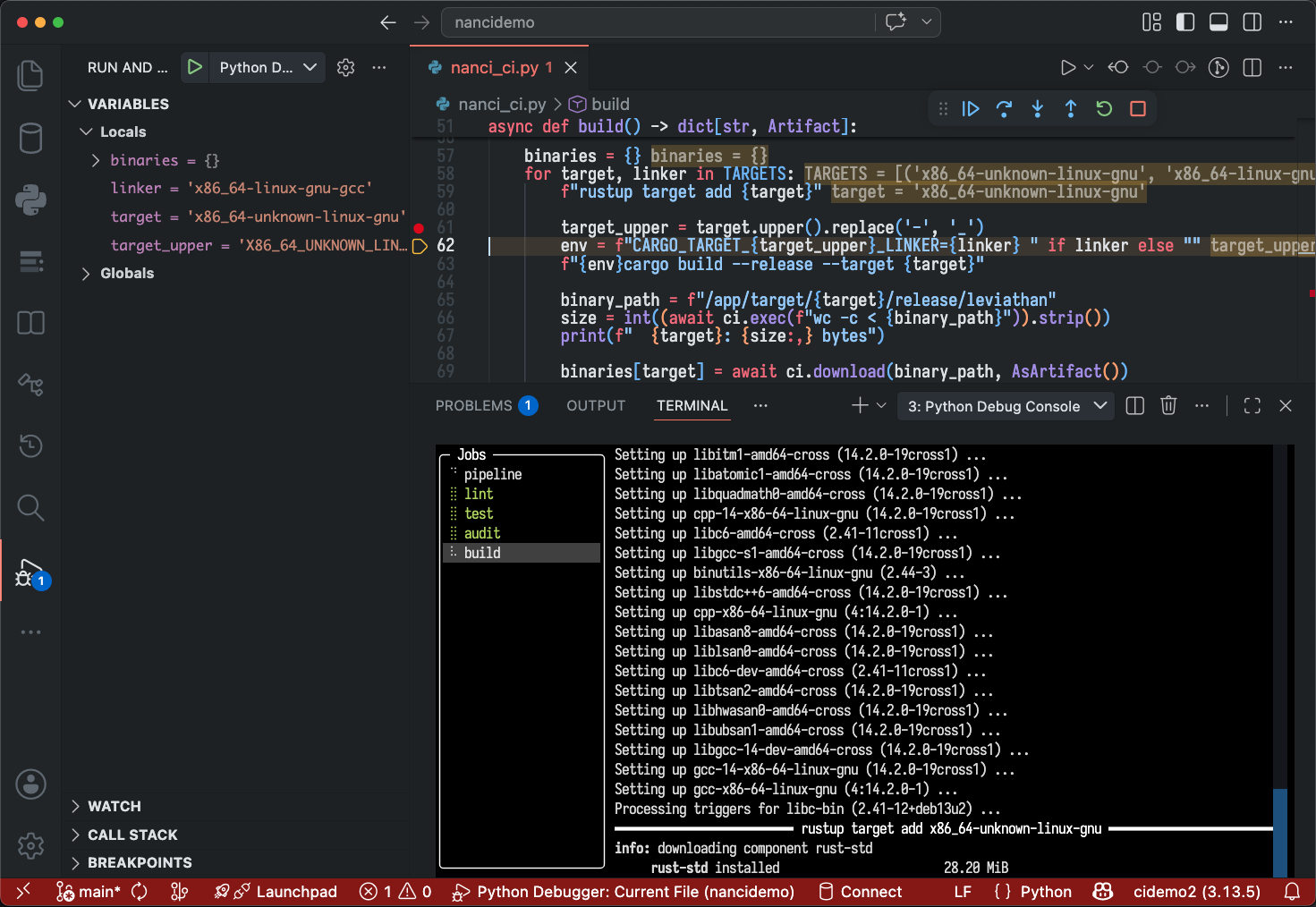
Because pipelines run locally as plain Python, you can attach any debugger you like — pdb, VS Code, PyCharm. Set a breakpoint inside a job, step through execution, inspect variables.
No more guessing what went wrong from logs alone.

Add @autocache to a job and Nanci figures out what it depends on — files, arguments, even the job's own code. If none of that changed, the job is skipped.
No conditions to write. No cache keys to maintain.
In most CI platforms, every line is its own little amnesiac shell — cd somewhere, export a variable, and watch it vanish on the next line.
It's a quirk you just learn to work around — until you don't have to.
No such gotchas in Nanci. The working directory and environment stick around. No hidden resets, no surprises.
@job
async def release():
"cd /app"
"export TAG=$(git describe --tags --abbrev=0)"
"export GOOS=linux GOARCH=amd64"
# cd and every export are still in effect here
"go build -o bin/app-$TAG ."
"scp bin/app-$TAG deploy@prod:/opt/app/"
@job
async def build() -> Artifact:
"cargo build --release"
return await ci.download(
"/app/target/release/binary",
AsArtifact(),
)
@job
async def publish(binary: Artifact):
await ci.upload(binary, "/deploy/binary")
"systemctl restart app"
Other tools make you upload, store, and re-download files between jobs.
In Nanci, you just return them.
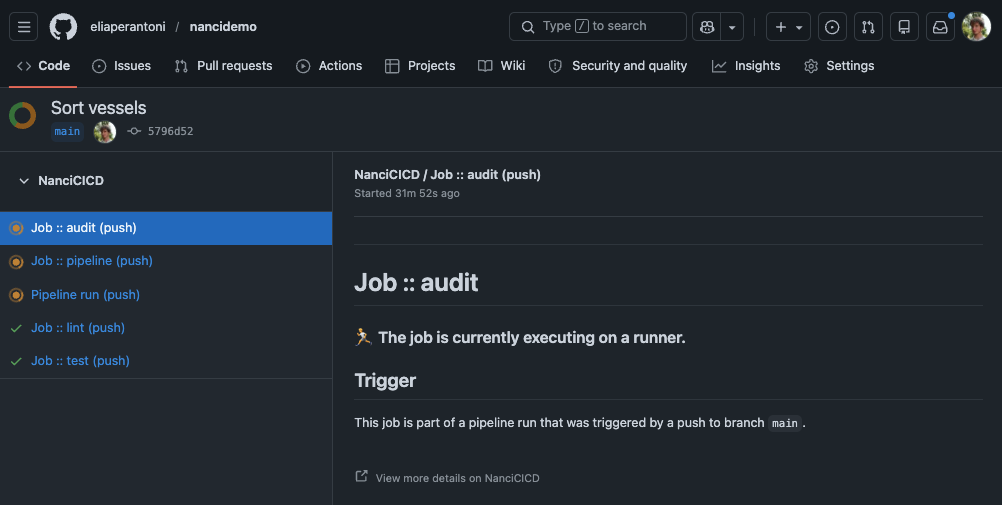
Nanci reports job statuses back to GitHub in real time. See which jobs passed, which are running, and jump straight to the detailed logs — all without leaving your pull request.
Push your code, and let Nanci take it from there.

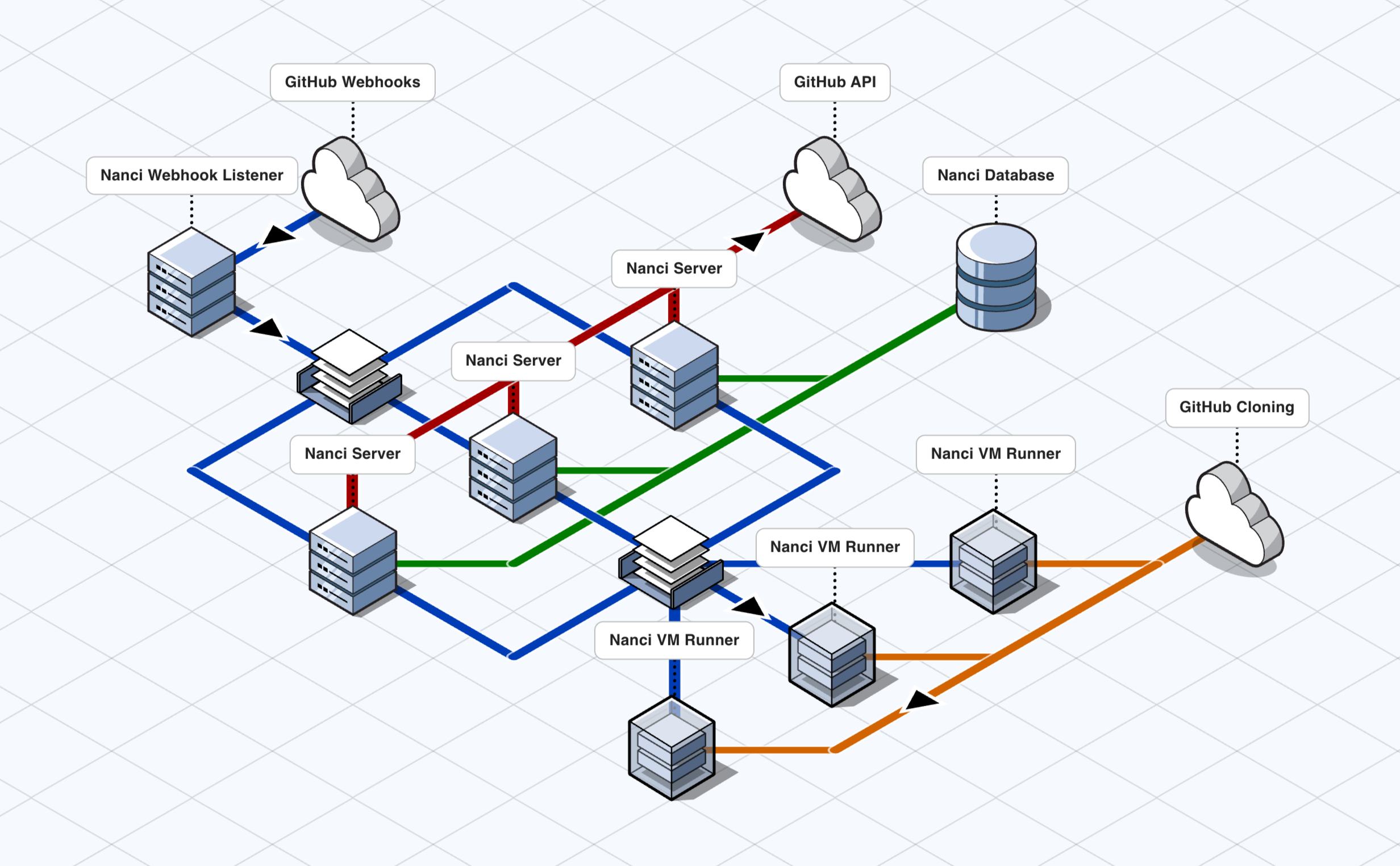
The webhook listener is a lightweight, always-on service whose only job is to receive push events from GitHub and durably enqueue them. This keeps the critical path of accepting triggers fast and resilient.
Server instances pull work from that queue and orchestrate the run: they write the initial state to the database, open a check on the GitHub commit via the API, then enqueue a message for a runner to pick up.
Runner instances pick up those messages and execute the CI pipeline using the same Nanci Engine that runs locally on your machine — sandboxed inside a VM to prevent untrusted pipeline code from escaping. As the pipeline progresses, results are streamed back to a server instance which keeps both the database and the GitHub checks UI in sync in real time.
Servers and runners scale independently, with the queue naturally distributing load between them.
pip install nancinanci_ci.pyfrom nanci import job
import asyncio
@job
def hello_world():
"echo Hello World!"
asyncio.run(hello_world())
python nanci_ci.pybase.qcow2.bake_nanci_into_vm_image.sh.docker-compose.yml:
GH_CLIENT_ID=
GH_PRIVATE_KEY=
NANCI_RUNNER_RABBIT_MQ_URL=
# any free port on the host
# each runner instance must use a different one
NANCI_RUNNER_VM_SSH_PORT=
# directory containing the EFI firmware files
NANCI_RUNNER_EFI_DIR_PATH=
# path to the baked qcow2 image from step 5
NANCI_RUNNER_BASE_IMAGE_PATH=
NANCI_RUNNER_GITHUB__CLIENT_ID=
NANCI_RUNNER_GITHUB__PRIVATE_KEY=
# URL of the Nanci Server, or a load balancer in front of it
NANCI_RUNNER_SERVER_URL=
COOKIE_KEY=
JWT_KEY=
SMEE_URL=docker compose up -dlocalhost:9090 in your browser.